


FaceApp: Perfect Face Editor
4.376.96K Reviews
App Specs
- Version
- Varies with Device
- Updated On
- License
- Free
- Downloads
- 500,000,000+
- Developer
- FaceApp Technology Ltd
- Categories
- Photography
- Platform
- Android, iOS
Screenshots
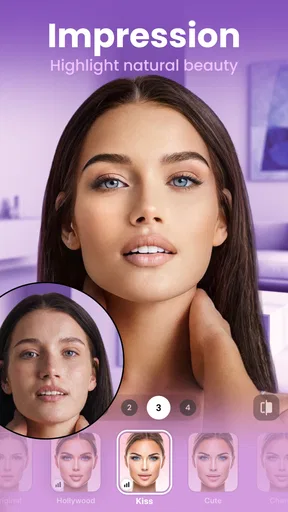
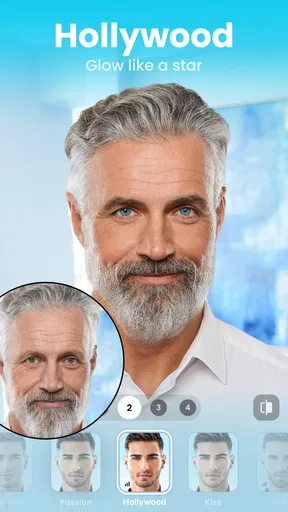
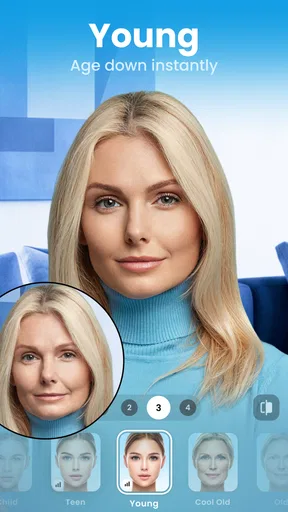
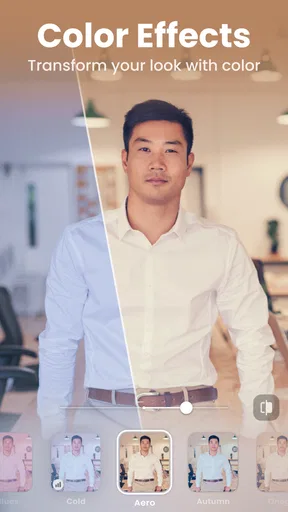
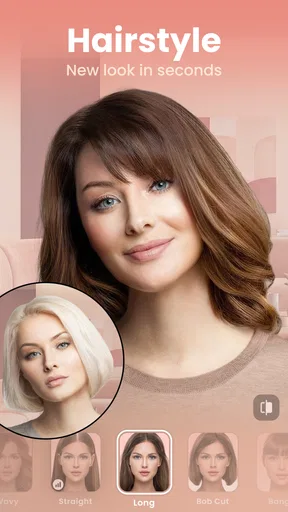
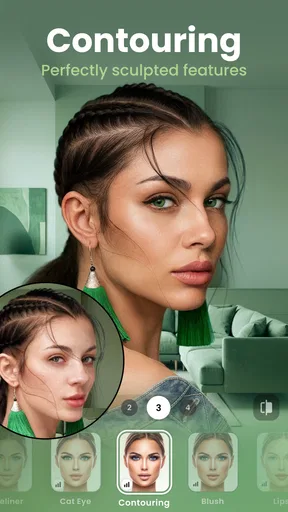
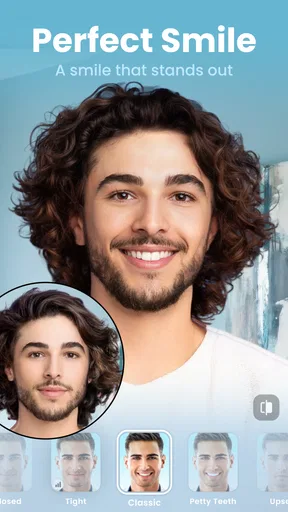
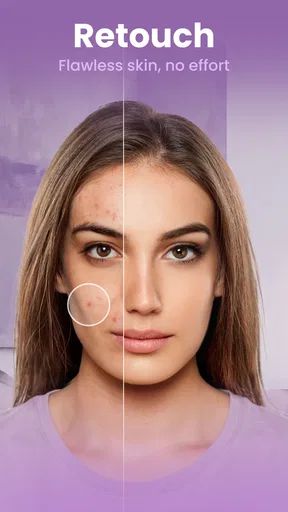
 Analysis by AppCompare
I usually open a face editor with a specific photo in mind: a selfie that feels a little flat, a picture from a family gathering, or a look I’m curious about but not ready to try in real life. FaceApp: Perfect Face Editor is built for that kind of quick experiment. It’s a photography app from FaceApp Technology Ltd, and its appeal is easy to understand: choose a face, try a transformation, and decide whether the result feels amusing, useful, or simply not like you.
That simple promise works best when I treat the app as a preview tool rather than a replacement for a camera or a full photo-editing suite. A filter can help me picture a different hairstyle or add a playful twist to a portrait, but it cannot tell me how a haircut will behave in everyday life or make every imperfect source photo look convincing. Starting with a clear, well-lit image and a modest goal makes the whole process more satisfying.
Choosing a photo that gives the edit a chance
When I’m deciding what to edit, I first consider who else appears in the picture and whether I’m comfortable using that image in an editing app. For a quick trial, I’d pick a portrait I already have permission to use, with the face visible and not hidden by a hand, heavy shadow, or another person. That’s not a guarantee of a perfect result, but it gives the app a cleaner starting point and makes it easier to judge the transformation rather than the photo itself.
Guides and Analysis on FaceApp: Perfect Face Editor
FaceApp is free to download and rated for Everyone. It has an average rating of 4.3 from around 5.3 million ratings, and it has been installed over 500 million times. Those figures suggest that it has reached a large audience, but they don’t tell me whether a particular edit will suit my taste. I’d still try it with a low-stakes image before making it part of a regular photo routine.
If I’m editing a picture of friends, I’d ask before turning it into a joke or sharing the result. A face swap or a dramatic transformation may feel harmless to the person making it and embarrassing to the person pictured. Keeping the experiment private until everyone involved is comfortable is a small step that makes the playful side of the app easier to enjoy.
From first preview to a photo worth keeping
Jumping into FaceApp is a breeze. Once you download it from the app store, you're greeted with a clean and intuitive interface. The app is pretty straightforward. You take a selfie or upload a photo, and then the magic begins.
With a swipe of your finger, you can transform your look entirely. The app offers a plethora of filters and effects, from age-altering features to gender swaps. It's kinda like having a mini Photoshop right in your pocket, but without the steep learning curve.
Worth Reading Before You Choose

ESPN’s Live Game View Makes Following Close Games Easier

QuizzLand Review: A Good Fit for Short Trivia Breaks, Not Every Player

Basketball Stars: Multiplayer Is Fast, but Can It Recover When Matches Go Wrong?

WEBTOON Turns Phone Updates Into a Better Reading Routine

Link to Windows Runs on Shared Habits, Not Social Feeds

How Alibaba.com Dominates the B2B Marketplace
Features That Stand Out
One of the standout features has to be the aging filter. It's eerily accurate and gives you a glimpse into the future. It's both fascinating and a tad unsettling to see yourself aged a few decades. The AI behind the app is impressive, making the transitions look seamless and natural.
Another cool feature is the hairstyle changer. Ever wondered how you'd look with bangs or a pixie cut? Now you can preview it without making a trip to the salon. There are also makeup filters for those days when you just want to glam up your photos.
For those who love to tweak every little detail, there are options to adjust facial features like smile, skin tone, and more. It's like having a personal stylist at your fingertips.
Making the preview useful, not just funny
For a practical hairstyle check, I’d compare a few options on the same original portrait instead of taking a fresh selfie for every try. That keeps lighting, angle, and expression consistent, so the hair is the main thing changing. I’d save or keep track of the alternatives only if the app makes that convenient, then show the images to a stylist as conversation starters—not as a promise of exactly how a cut will look.
The same restraint helps with makeup and facial adjustments. I find a light touch more useful when I want a profile photo that still looks recognizably like me; a dramatic edit is better treated as entertainment. If the result changes several things at once, it becomes hard to tell which adjustment helped. I’d try one direction at a time and compare it with the unedited image before deciding.
For a family portrait, I’d work on a copy or keep the original untouched in my photo library. The useful handoff is simple: use the app to explore, then choose whether the edited picture belongs in a chat, a social profile, or nowhere at all. That separation matters because a funny transformation can be perfect for a private conversation but a poor choice for a professional headshot or a keepsake meant to look natural.
Playing Around with the Fun Stuff
Beyond the practical features, FaceApp has a bunch of fun filters that let you experiment with wild transformations. Want to see yourself as a different gender? How about adding a beard or changing your hair color? The possibilities are endless and make for some laugh-out-loud moments.
It's not just about selfies either. The app allows you to edit group photos, which can be a hilarious way to prank your friends. Imagine swapping everyone's gender in a group photo and sharing the results.
In an everyday setting, I can picture opening an old group shot while chatting with family, trying a few transformations, and sending one version to the people in the photo for a laugh. The best results are the ones that stay light-hearted and clearly understood as edits. If someone doesn’t enjoy being altered, I’d leave them out of the joke rather than turning the image into a surprise post.
Compared with a general photo editor, FaceApp puts the emphasis on face-focused changes rather than precise control over every part of an image. That makes it quicker for a playful portrait idea, while a broader editor is often the better choice for cropping, arranging several pictures, or tuning a whole scene. A camera app, meanwhile, helps capture the moment in the first place; FaceApp is more useful after the photo already exists.
It’s also worth keeping expectations realistic. A transformed face can look polished while still being a stylized approximation, and a hairstyle preview can’t account for hair texture, maintenance, or how a cut moves. I’d use the image to communicate a preference—“something in this direction”—rather than asking a stylist to reproduce every detail exactly.
When the editing flow hits a limit
Not every picture is a good candidate. A tiny face in a wide group photo, a strong side profile, or a face partly covered by hair may leave the transformation looking less natural. If an effect seems off, I’d try a closer, clearer portrait before blaming the filter. If the source is already sharp and the result still feels unlike the person, I’d stop there rather than stacking more edits to force it.
There is also a difference between trying an effect and being able to use every option without friction. The app is free, while in-app purchases range from $4.99 to $99.99 per item. I’d explore the available free experience first and check the purchase details in the app before committing to anything. The price range makes it especially sensible to decide whether I need a one-off laugh or expect to edit portraits regularly.
For quick social experiments, the app’s focused approach is a strength. If I need careful retouching across a full image, detailed layers, or predictable control over every adjustment, I’d choose a more traditional editor instead. And if I’m uncomfortable uploading or processing personal portraits through an app, the right choice may be to skip the edit altogether and keep the picture local in the tools I already trust.
Privacy Concerns and Considerations
As with any app that uses personal data, privacy concerns are valid. FaceApp has faced scrutiny in the past over how it handles user data. It's important to read through their privacy policy and terms of service to ensure you're comfortable with the data usage.
However, the developers have made strides in addressing these concerns, and the app does offer ways to delete your data if you choose to do so. It's always a good idea to stay informed and cautious when dealing with apps that access personal photos.
My own rule is to be selective about the images I bring into any face-editing workflow. I’d avoid using sensitive photos or pictures of someone who has not agreed to the experiment, and I’d review the current privacy terms before deciding what to upload. If I later decide I no longer want to use the app, I’d look for its available account or data controls rather than assuming that deleting a finished image from my phone settles every privacy question.
Who will get the most from it
I’d recommend FaceApp to someone who wants fast, face-centered transformations and enjoys comparing possible looks without learning a complicated editor. It’s especially suited to casual users who want to test an aging effect, preview a hairstyle direction, add makeup, or make a light-hearted edit for friends. The app’s broad reach—over 500 million installs—makes it familiar to many people, but the deciding factor should still be whether its style and approach fit the way you want to edit.
I’d be less likely to recommend it to someone who needs precise commercial retouching, wants complete manual control, or prefers not to use AI-style face transformations at all. It also isn’t the best fit when the main task is repairing a background, building a collage, or editing a landscape. Those needs call for a broader tool; this one is most compelling when a face is the focus.
The app first appeared on February 14, 2017, and it remains a recognizable name in mobile portrait editing. Its Everyone content rating makes it broadly accessible, but that doesn’t remove the need for good judgment when editing or sharing images of other people. I’d treat consent and context as part of the workflow, not as an afterthought.
Final Thoughts on FaceApp
Overall, FaceApp: Perfect Face Editor is a fun and intriguing app for those who love to experiment with their photos. It's not just for vanity's sake; it can be a creative outlet and a source of entertainment. Whether you're curious about your future self or just want to try out a new look, this app has got you covered.
While it's important to be mindful of privacy, the app's features and ease of use make it a worthwhile download. So go ahead, give it a shot, and unleash your creativity. Who knows? You might just discover a new side of yourself.
My recommendation is to start with one ordinary portrait, decide what you want to learn from the edit, and stop when the result answers that question. That keeps a hairstyle preview from being mistaken for a salon guarantee and a group-photo gag from becoming an unwanted post. For quick, face-focused experimentation, it’s an approachable option; for exact retouching or a privacy-first workflow, I’d reach for a different approach.
Pros
- Easy-to-use interface for quick edits.
- Wide range of filters and effects.
- Realistic aging and gender swap features.
- AI-powered enhancements improve accuracy.
- Regular updates with new features.
Cons
- Some features require a subscription.
- Privacy concerns with photo uploads.
- Limited free version capabilities.
- Occasional ads can disrupt usage.
- Editing can distort facial features.
FAQs for FaceApp: Perfect Face Editor
What features does FaceApp offer for photo editing?
FaceApp provides a wide range of features for enhancing photos, including AI-driven filters, face swapping, age transformation, gender swap, and makeup application. It offers a user-friendly interface that allows both casual users and professionals to easily edit their photos. Additionally, it includes background editing and style filters for a polished finish.
Is FaceApp free to use, or does it require a subscription?
FaceApp is free to download and use with basic features. However, it offers a subscription model called FaceApp Pro, which unlocks premium features, removes ads, and provides access to additional filters and tools. Users can choose between monthly, annual, or lifetime subscription options based on their needs.
How does FaceApp ensure user privacy and data security?
FaceApp has faced scrutiny regarding user privacy, but it claims to process photos in the cloud temporarily and deletes them shortly after processing. It’s important for users to review the privacy policy and terms of service to understand how their data is handled and ensure they are comfortable with the app's practices.
Can FaceApp be used offline, or does it require an internet connection?
FaceApp requires an internet connection to process images because the app uses cloud-based AI technology for its filters and transformations. Users need to be online to upload their photos to the server for editing. Once the edits are complete, the photos can be downloaded and saved offline.
What devices and operating systems are compatible with FaceApp?
FaceApp is available on both Android and iOS platforms. It requires Android version 5.0 or later and iOS version 11.0 or later. Users should ensure their devices meet these requirements for optimal performance. The app is compatible with most modern smartphones and tablets, providing a versatile editing experience.


